
ConsignO Cloud User Guide
Legal Entity
Available with: Business plan Enterprise plan
Signing on Behalf of a Legal Entity in ConsignO Cloud — User Guide
What is Signing for a Legal Entity?
A legal entity (company, association, corporation, etc.) is a legal organization that cannot sign documents itself. The signature is always performed by a person acting on behalf of the legal entity.
This feature allows an instrument to associate a signer with a legal entity so that the signer can sign on its behalf.
Create or Associate a Legal Entity with a Contact
When adding or editing a contact in your address book, a new option allows you to associate the contact with a legal entity.
Steps
- Open the Contact Authentication window (when adding a signer).
- After the Email Address field, you will find a checkbox labeled:
“Signer acting for and on behalf of a legal entity”
- Select this checkbox.
- The “Legal Entity Name” field will appear and become mandatory (marked with an asterisk *).
- Enter the legal name of the company or organization.
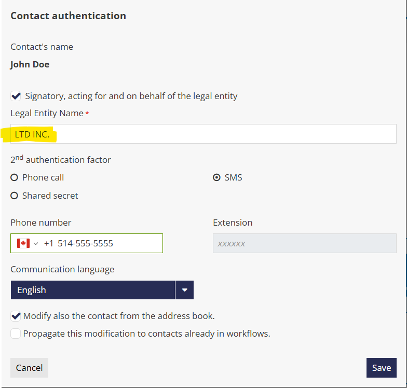
- Continue adding the contact as usual.
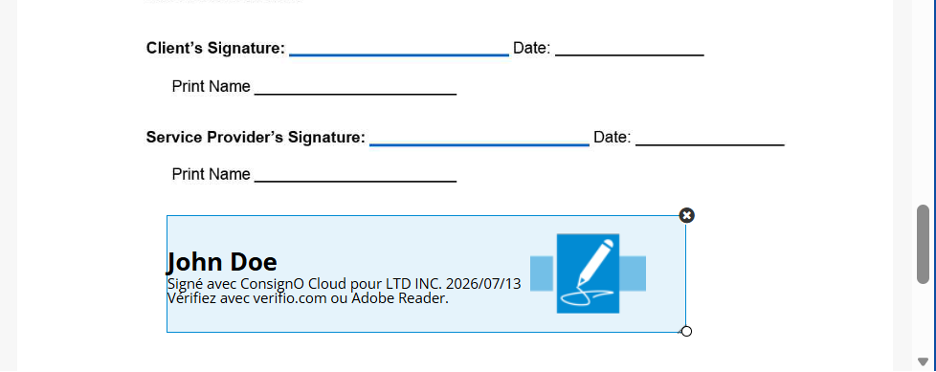
- Drag and drop the signer to the document,
- The signature filed mention the legal entity
Data Entry Rules
- Minimum 2 characters, maximum 150 characters
- Accepted characters: letters, numbers, spaces, and legal symbols (& – , .)
- Entries consisting only of spaces are rejected
- An error message is displayed if the field contains invalid characters or is left empty.
Important
The Legal Entity attribute is automatically propagated to all projects where the contact is present and has not yet signed.
Managing Legal Entity Contacts in the Address Book
Search and Filtering
You can:
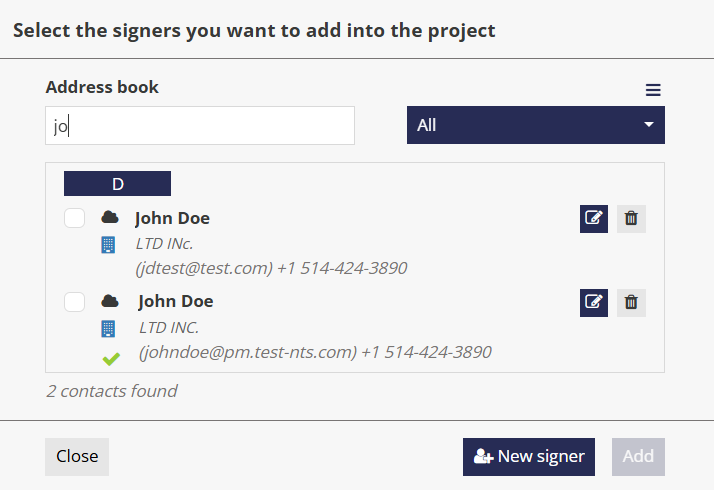
- Search for a contact by legal entity name. Entering a legal entity name will display all contacts associated with that entity.
- Identify legal entity contacts using a building icon in the address book.
- View the legal entity name displayed on a second line beneath the contact’s name.
Editing and Removal
- You can edit or remove a legal entity association from an existing contact at any time.
- If you clear the checkbox after entering a legal entity name, the field is no longer mandatory.
Signing a Document on Behalf of a Legal Entity
When a signer is configured to act on behalf of a legal entity:
- The signing experience reflects this relationship.
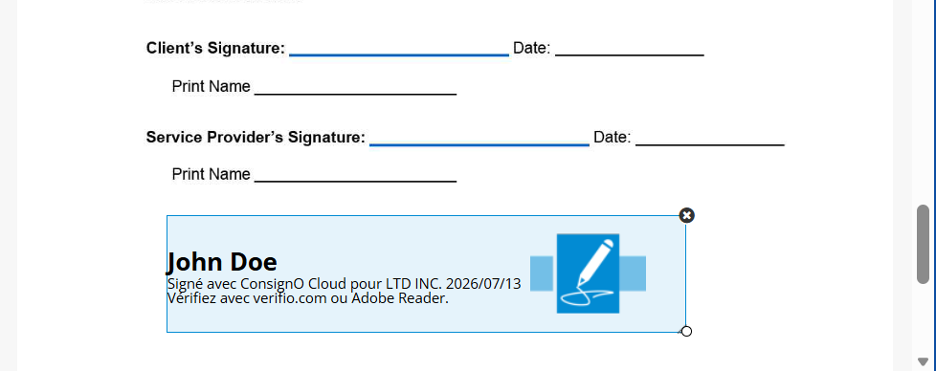
- The signature appearance applied to the PDF document includes the legal entity information.
Project Launch
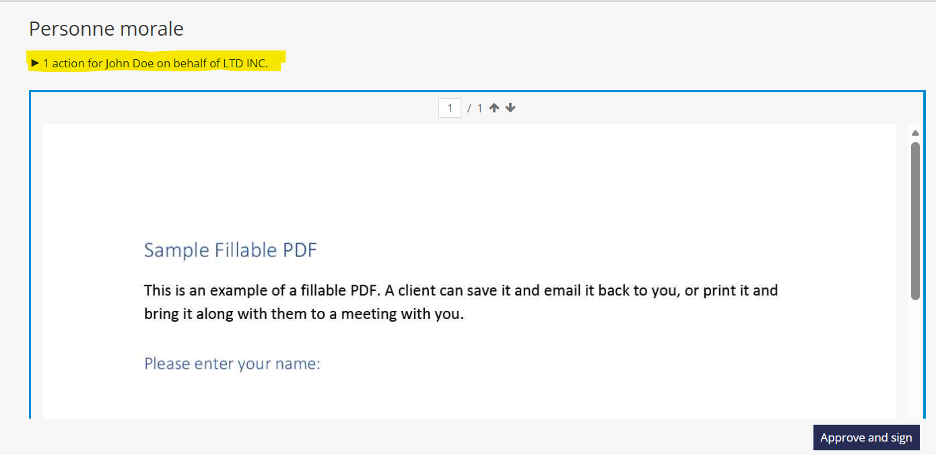
When a project is launched, the legal entity information is visible.
For example:
“1 action for John Doe on behalf of LTD INC.”
Notifications and Audit Trail
- Signature-related notifications automatically include the legal entity name.
- The audit trail explicitly identifies the legal entity associated with the signer.
Terms of Use
When the Legal Entity feature is enabled, all instrumenting professionals and signers must accept a new version of the Terms of Use that includes a clause related to signing on behalf of a legal entity. Acceptance of these updated terms is required at the next login.